Using the Dashboard
The Dashboard is your personal starting point in Timequip. It brings together the work that needs attention, the projects you can access, and recent changes across the selected account.
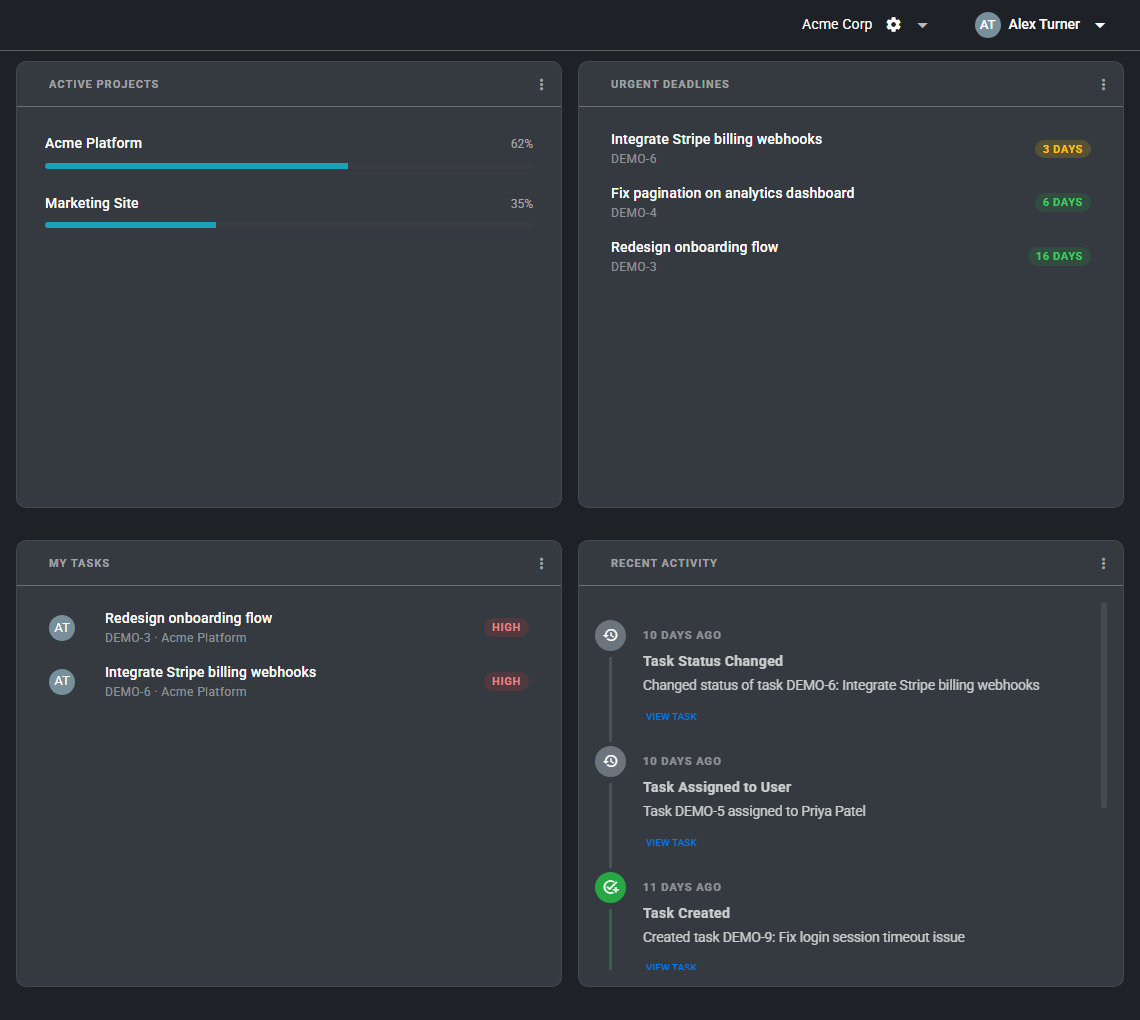
Available widgets
- Active Projects: Shows current projects in the selected account with quick access to each board.
- Urgent Deadlines: Lists tasks with upcoming due dates so you can see what needs attention soon.
- My Tasks: Shows tasks assigned to you across projects in the current account.
- Recent Activity: Displays recent project, task, role, and comment updates.
Customize the layout
- Open the Dashboard from the main navigation.
- Click Add Widget to add an available widget.
- Drag widgets to reorder them.
- Use the widget menu to switch between half-width and full-width display.
- Refresh an individual widget when you want to reload only that section.
Your widget layout is saved to your user profile, so each user can arrange the Dashboard for their own workflow.